EK TOOLS · Original Elashkef software
Your clips deserve 60 FPS and quality that stops the scroll.
Two programs by Elashkef for gaming creators: Elashkef 60FPS prepares your video and uploads it to TikTok at top quality, and Elashkef Studio sharpens the picture and colour and puts your signature on it. New: Realistic Engine.
- Windows
- Arabic · English
- In-app updates
- Support on Discord
Real samples
Drag the line. The difference shows itself.
Real gameplay clips straight out of both programs, silent. Drag the line on any video and compare for yourself.
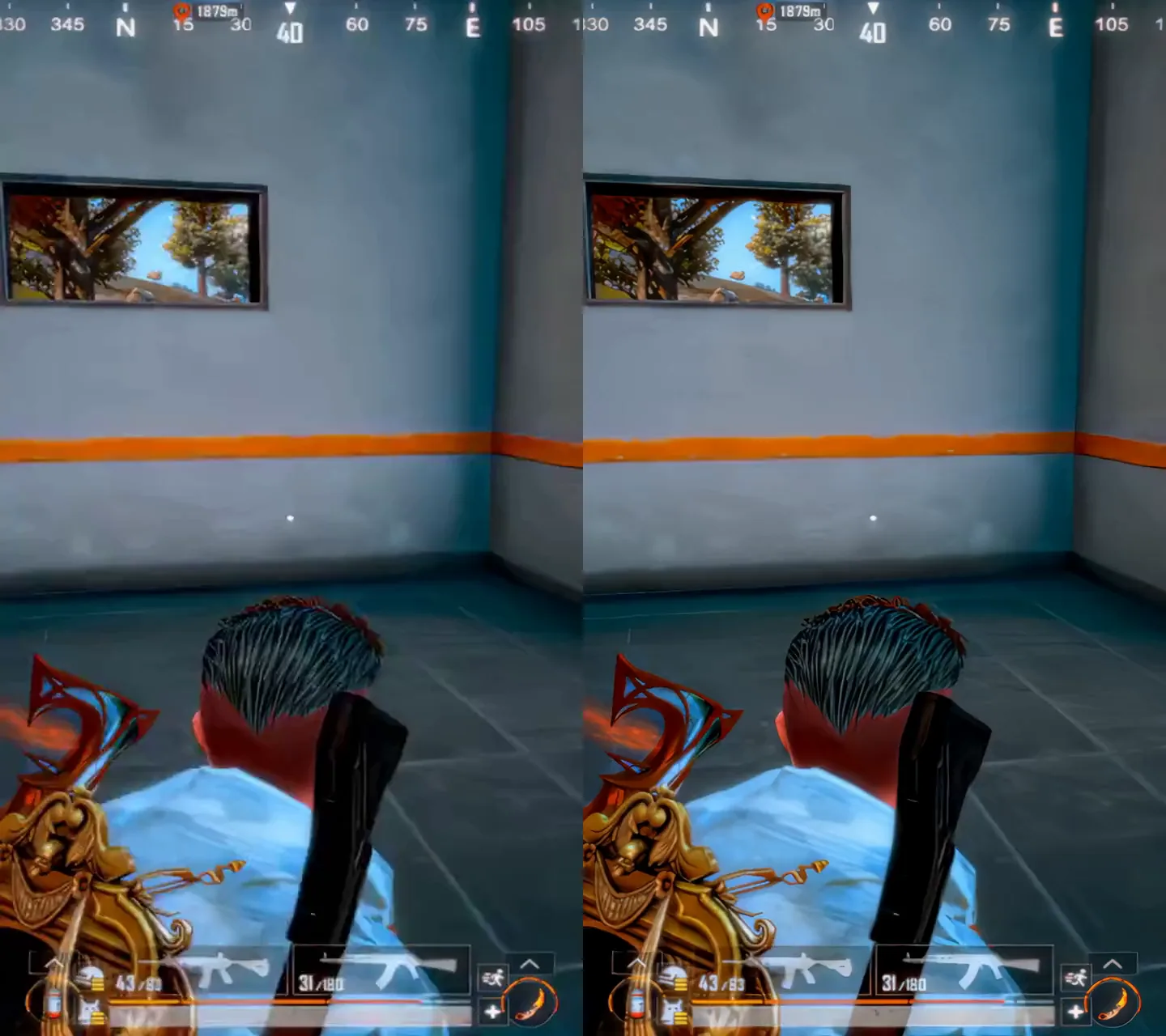 Compressed · 30FPS60FPS
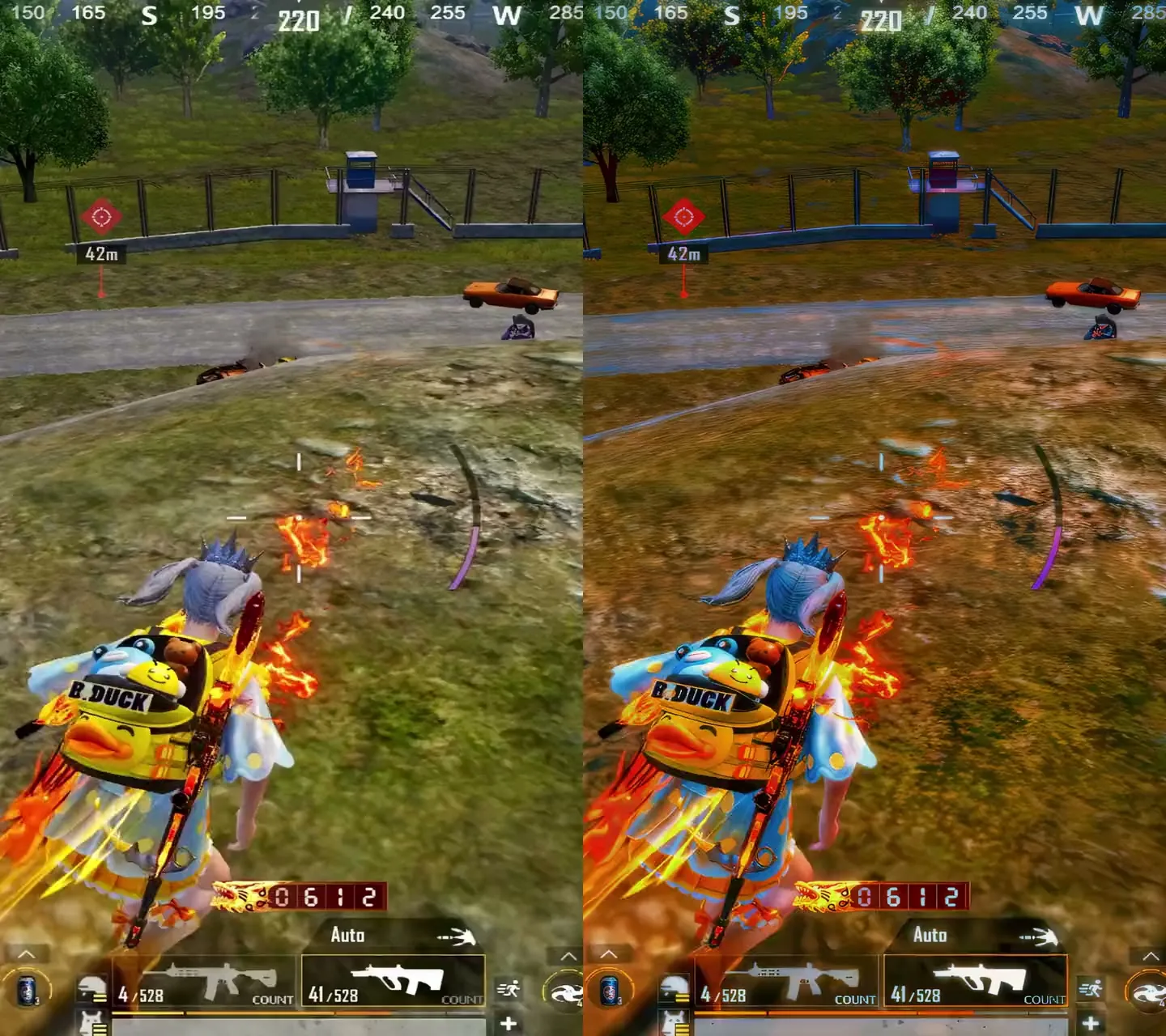 BeforeAfter
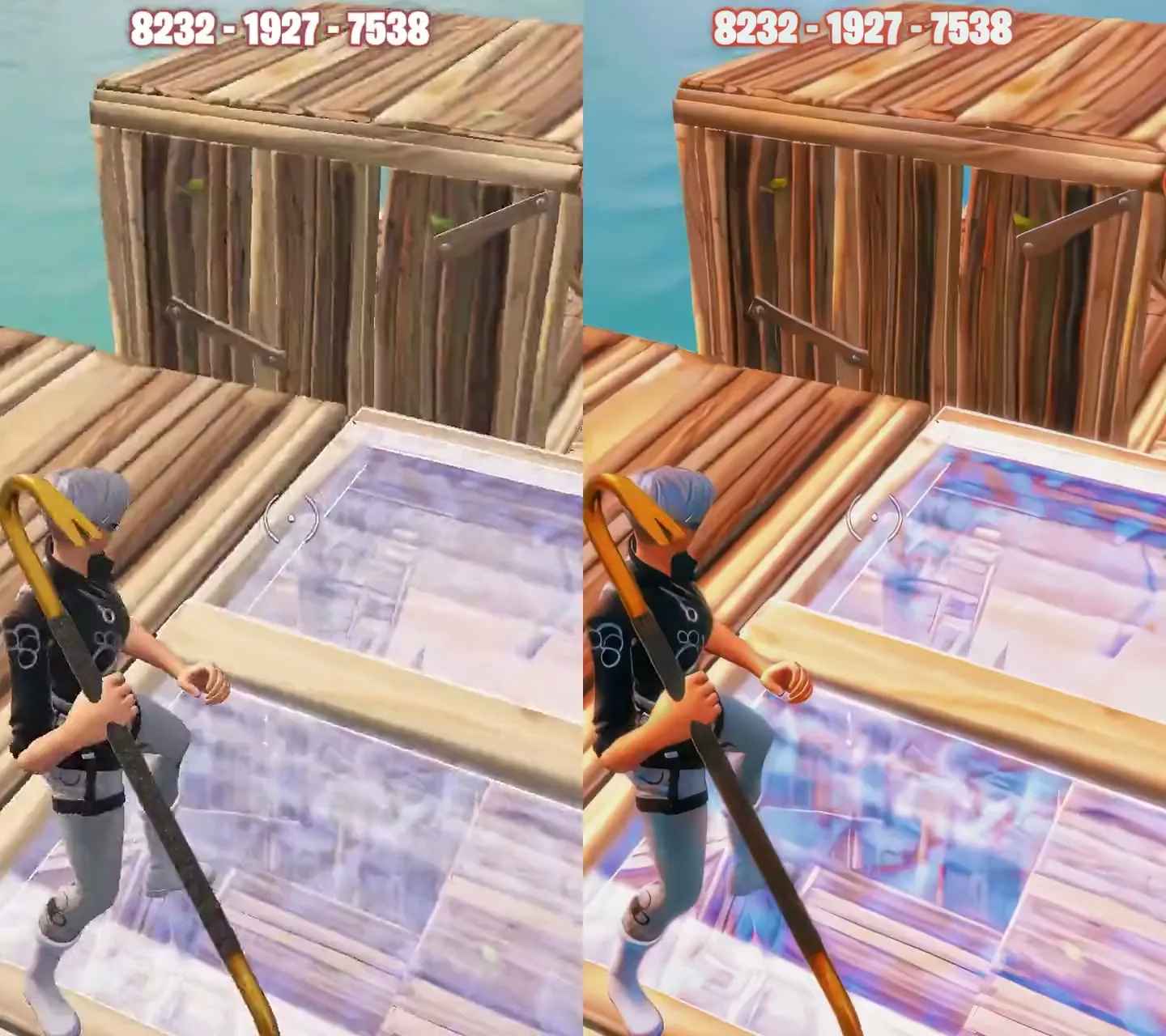 BeforeAfter
In the 60FPS clip, the left side simulates the usual compression after upload (30 frames, lower quality). Published quality also depends on your source file and platform processing.

Program one · Elashkef 60FPS
Smoother motion. Clips that hold the eye.
Choppy motion is the first thing viewers notice. Elashkef 60FPS prepares gaming clips and short-form video and uploads them straight to TikTok at 60 FPS and top quality — then lets you check the result yourself.

Max Quality
Direct upload to TikTok through Chrome, no VPN and no temporary files left on your PC. Pick from 5 quality cards, from Short Fast up to 4K Ultra HD.
120 FPS
For clips recorded at a native 120 frames: they stay as they are, with no artificially repeated frames.
Checker
After publishing, check the video and see the quality and frame rate that actually reach viewers.
Motion blur
Smooth motion blur powered by your graphics card: Ultra, Smooth, Subtle or Custom at the strength you like, exported at 1080p, 2K or 4K.
Studio
60 frames for your files: queue your videos, compare before and after, and export them ready to post.
Safe mode & analytics
Safe direct-upload methods when you need them, and the numbers of any account in Analytics.
From video to post in 4 steps
- Pick a quality card1080p Extreme, 2K or 4K to suit your file.
- Open TikTok in ChromeWith one click from inside the app.
- Drop the video and postDrag it into TikTok Studio; the app picks it up and prepares it automatically.
- Confirm in the CheckerSee the quality that arrived after posting.
For the best result: a clip under 3 minutes, with an audio track, and no sound edits inside TikTok.

Program two · Elashkef Studio
Better video quality, without the complexity.
Not every video needs a full editing project. Add your file to Elashkef Studio, pick a ready workflow, your colours, your signature and the size, and export — all in one place.
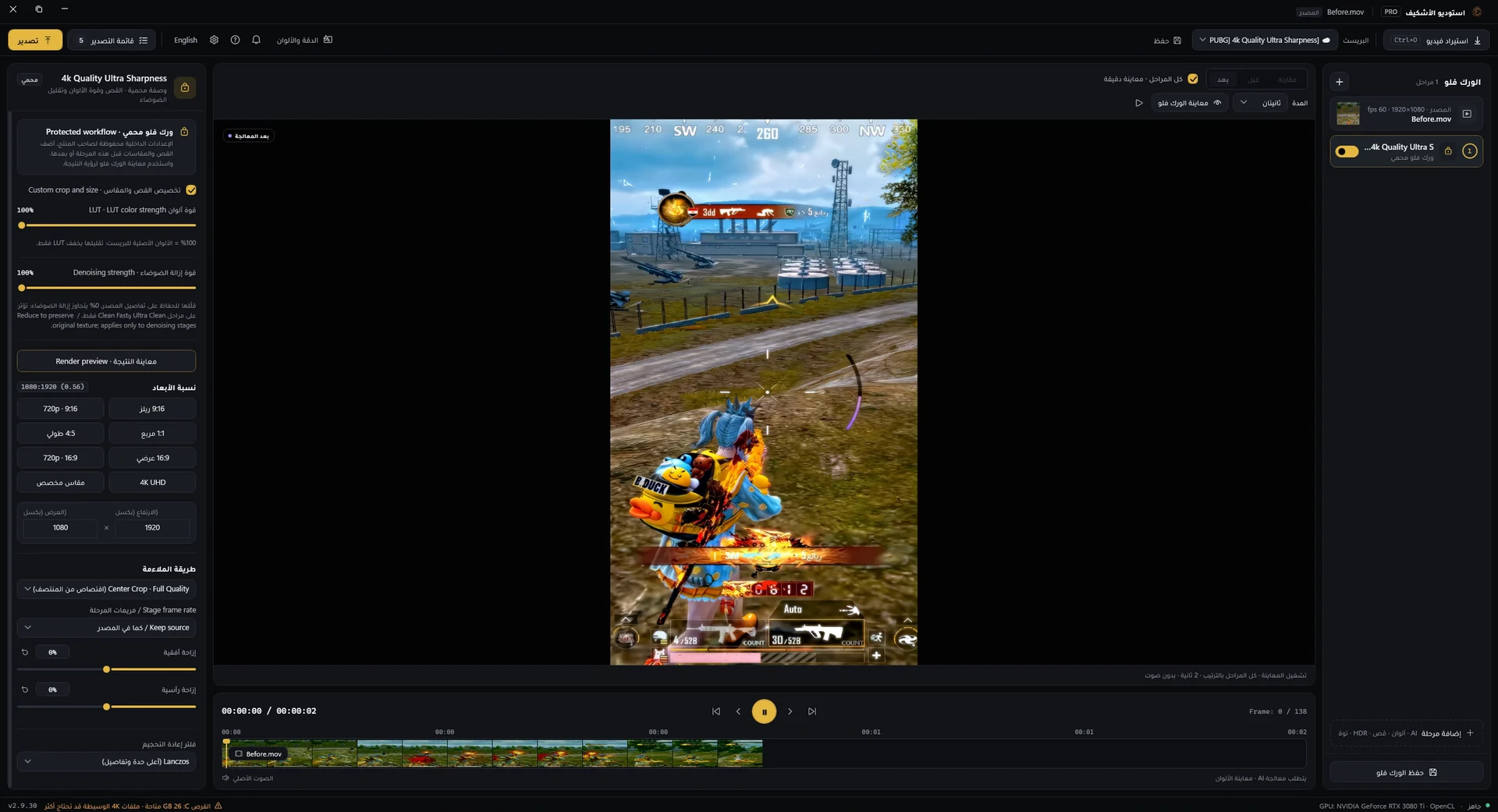
Ready workflows
Search for a workflow (like Ultra Smooth) and apply it in one click, without setting every option by hand.
Elashkef colours
Colour looks like Ek Fade Candy, with a live preview before you export.
Your signature on every clip
Type your name, choose the font and size, and drag the signature into place on the preview.
Any size
Switch to 9:16 or 16:9, by cropping or with a blurred background that fills the frame.
Stacked stages
Build your workflow from stages: quality, colour, signature and Realistic Engine.
Export queue
Export and follow your files in the queue while you work on the next one.
New An add-on for Elashkef Studio
Realistic Engine
Your gameplay, closer to real life.
A neural rendering engine that redraws the shot with lighting, colour and detail closer to real footage. Add it as a stage in your Studio workflow, pick the look that suits the clip, and everything runs locally on your NVIDIA graphics card.
- StrongFurthest from the source — best for gameplay
- StandardThe engine's reference render
- Detail onlySharper detail, your colours kept
- GentleSofter — good for faces
- A separate add-on, enabled on your licence
- Processed locally on your PC
- Needs an NVIDIA graphics card
Why Elashkef
Built for gaming creators — and with you after you buy.
- 01
Real samples, not promises
Every clip on this page really came out of the two programs. See it with your own eyes before you buy.
- 02
Community and support on Discord
Ask before you buy, share your results and follow new features and guides with creators like you.
- 03
Ongoing updates
Updates arrive inside the app, without reinstalling it from scratch each time.
Questions before you buy
Frequently asked
What do the programs run on?
Both are Windows PC programs. Motion blur uses your graphics card, and Realistic Engine needs an NVIDIA graphics card.
Where do I buy?
From the official Al Waha store, in the EK Tools section. If you have any question before buying, talk to us on Discord.
Are the two programs separate?
Yes. Elashkef 60FPS and Elashkef Studio are separate products in the store, and Realistic Engine is an add-on for Elashkef Studio enabled on your licence.
Does 60FPS guarantee TikTok won't compress my video?
The app prepares and uploads the video at the highest quality available, and the Checker shows you what actually arrived. Final processing is up to the platform, and your source file matters too.
Where do I find guides and help?
Full guides are right here on this page and inside the apps, and support is on Discord.
Ready for your clips to be seen the way they should?
Buy on the Al Waha store, or come to the Discord and ask anything first.